
Mobile App Penetration Testing: Android & iOS Buyer’s Guide
Mobile app penetration testing is a simulated attack on an Android or iOS app, its stored data, network traffic and backend application programming interface (API), with a report of proven weaknesses.

By Sangam Goel, Founder & C.T.O · Updated 10 Nov 2026

Key takeaways
- A mobile app pentest attacks five things together: the app file, data stored on the device, traffic to the server, the backend API, and login and sessions. Test both the Android and iOS builds, and put the API in writing.
- Pricing is scoped, not fixed. Compare quotes line by line (platforms, roles, APIs, approach, retest, deliverables), not by headline.
- A useful report proves every finding, explains how severity is scored and tells developers how to fix each issue.
- OWASP's (Open Worldwide Application Security Project) Mobile Top 10 is an awareness list. The Mobile Application Security Verification Standard (MASVS) defines the controls and the Mobile Application Security Testing Guide (MASTG) describes the tests, so ask which of those a provider worked from.
In this article
- 1What is mobile app penetration testing (and what is it not)?
- 2What does a mobile app penetration test cover?
- 3Why is the backend API part of the test?
- 4Android vs iOS penetration testing: where the testing differs
- 5Which standards do testers use: OWASP MASVS, MASTG and the Mobile Top 10?
- 6When should you test a mobile app?
- 7What should a mobile app pentest report contain?
- 8What happens after the report: fixes and retest
- 9What does the vendor need from you?
- 10How do you choose a mobile app pentest provider?
- 11How much does mobile app penetration testing cost?
- 12How GS2 runs a mobile app VAPT
- 13Conclusion and next step: book a free consultation
- 14Frequently asked questions
Two quotes arrive for the same mobile app. One is far cheaper, and both are called a penetration test. It is tempting to take the lower number and move on.
Look closer and they often describe different jobs. One covers Android only, the other both platforms. One tests the app on the phone, the other also attacks the server behind it. One includes a retest after your fixes, the other stops at the report. The scope you agree decides whether the result means anything before a launch or an audit.
This guide is written for the person who has to buy. It explains what a test covers, why the backend is part of it, where Android and iOS differ, and what a good report contains, with a six-line checklist for comparing quotes. It also shows how we run mobile VAPT (vulnerability assessment and penetration testing) at GS2 Cyber Security.
What is mobile app penetration testing (and what is it not)?
Mobile app penetration testing (a pentest, for short) is a security test in which specialists try to break into your Android or iOS app as an attacker would, then prove what they reached. It is not a vulnerability scan. A scan flags possible weaknesses; a pentest confirms which can be exploited and what they expose.
The two are often sold together as VAPT. Automated scanning is part of that, but a scan alone cannot judge business logic, such as whether customer A can open customer B's order.
| Aspect | Vulnerability scan | Pentest |
|---|---|---|
| Method | Automated tools match the app against known weakness patterns | Specialists exploit weaknesses by hand, supported by tools |
| Output | A list of possible issues, often including false alarms | Confirmed findings with proof and impact |
| Access control and business logic | Largely missed | Tested with real accounts and roles |
| Best used for | Frequent, low-effort checks | Before launch, audits and major releases |
If you also run a website or customer portal, our Web Application VAPT service covers that side.
What does a mobile app penetration test cover?
A mobile app pentest covers five areas: the app binary (the installable file), data stored on the device, traffic between app and server, the backend API, and authentication and sessions. A provider that skips one is selling a partial test.
| Area | What testers look at | What it means for you |
|---|---|---|
| App binary | Taking the installable file apart to find hard-coded keys, secrets and weak protections, and tampering with it | Anyone can download your app and inspect it, so a secret inside the file is not a secret |
| Local storage | Files, databases, caches and logs on the device, and whether secure storage is used | A lost or compromised phone should not expose tokens or personal data |
| Network traffic | Whether data is encrypted in transit, how certificates are checked, what interception reveals | Data stays unreadable and unaltered on public Wi-Fi |
| Backend API | The server endpoints the app calls: access control, input handling, rate limits | An attacker's crafted request can reach other users' data if this fails |
| Authentication and sessions | Login, password reset, token lifetime, logout, session handling | Account takeover is the failure your customers notice first |
Testers combine static analysis (examining the app without running it) with dynamic analysis (watching it run and tampering with it while it does).
Why is the backend API part of the test?
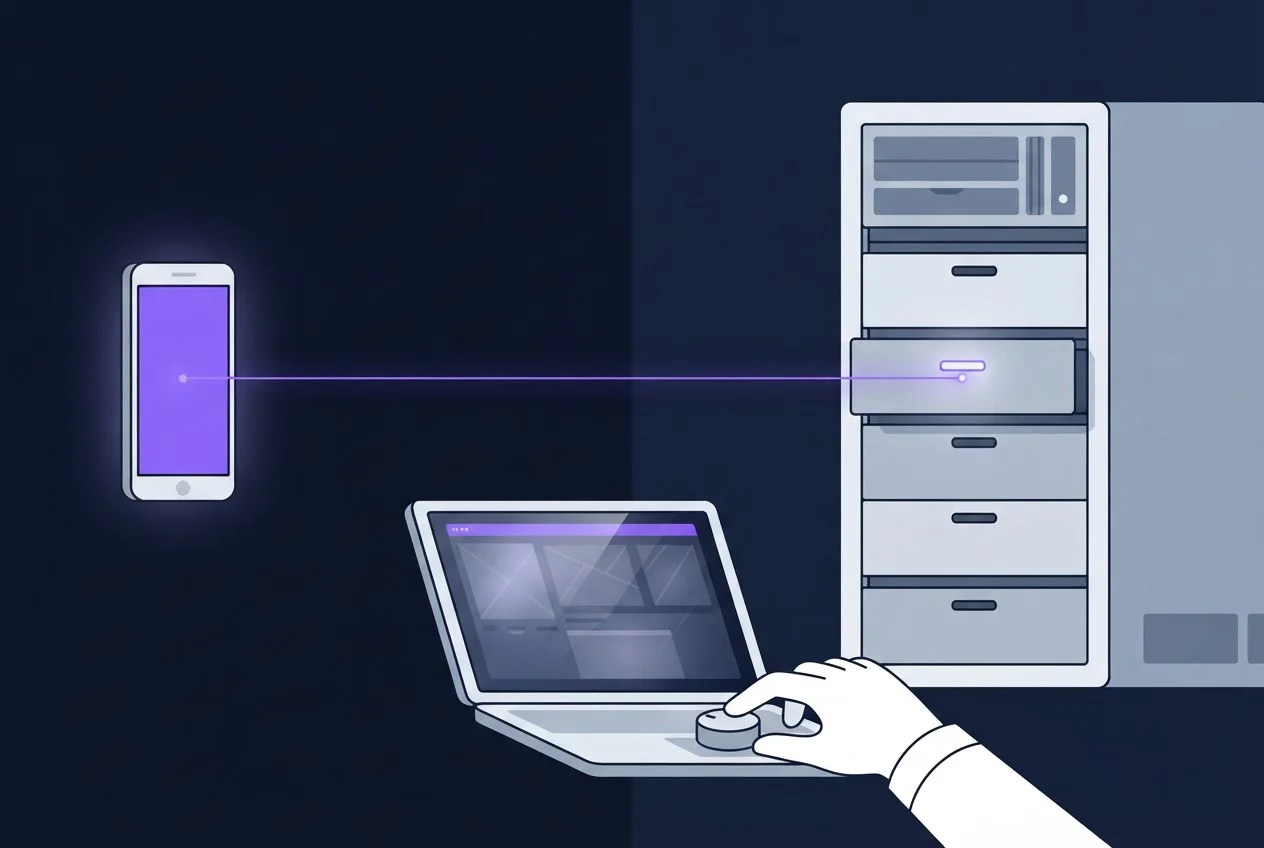
The backend API (application programming interface, the server code your app talks to) is part of a mobile pentest because the app is only a client. The server decides who may see what, and a tester can send requests the app would never make. Testing the app alone misses that.
Take an example. An order screen requests order 1042, because the app only ever asks for your orders. A tester changes the number to 1043. If the server returns another customer's order, the flaw is in the API, and no hardening of the app would have stopped it.
Put the API in the written scope, with the endpoints or the documentation. Some quotes treat API testing as separate work, so ask whether it is included. Our API VAPT service covers this side of the test: broken authentication and authorisation, injection, data exposure, misconfigured endpoints and rate-limiting weaknesses. The OWASP API Security Top 10 is the public reference list for these risks.
Android vs iOS penetration testing: where the testing differs
Android and iOS apps are different builds with different storage, permission and platform behaviour, so each needs its own test even when the screens look identical. A clean result on one platform tells you little about the other.
The platforms fail in different ways. In the Zimperium Global Mobile Threat Report 2025, which analysed 100,000 apps from official app stores across finance, travel, lifestyle, entertainment and food and drink, 51.7% to 60.9% of iOS apps (depending on category) were flagged as leaking sensitive data, against 27.9% to 42.8% of Android apps. Android apps hardcoded API keys and secrets more often, at 5.9% to 8.7% against 1.6% to 3.6% on iOS.
| Topic | Android | iOS | What it means for you |
|---|---|---|---|
| Build file | APK (Android Package, the install file) | IPA (the iOS app archive) | You supply both, and agree whether it is the production or a test build |
| Test device | Rooted device (administrator access unlocked) | Jailbroken device (Apple's restrictions removed) | Testers can read the app's private files and watch it run |
| Where secrets should and should not live | Keystore (use) vs SharedPreferences (not for secrets) | Keychain (use) vs UserDefaults (not for secrets) | Secrets belong in the secure store, not in plain preference files |
| Permissions | Manifest-declared permissions plus runtime prompts | Runtime prompts with purpose strings, plus entitlements | Testers check the app asks only for what it needs |
| Links between apps | Exported components, intents, deep links | URL schemes, universal links | Other apps or web pages must not be able to open screens that skip login |
Some apps refuse to run on rooted or jailbroken devices. The MASVS calls this group resilience. It is an extra layer, not a substitute for secure design, and testers usually have to get past it to test everything else.
If your app uses React Native or Flutter (frameworks that build Android and iOS apps from one codebase), test both builds anyway. Each still ships as its own build with its own platform behaviour. Ask the provider how they test hybrid and cross-platform apps.
Which standards do testers use: OWASP MASVS, MASTG and the Mobile Top 10?
Testers work from three documents published by OWASP (the Open Worldwide Application Security Project). The OWASP Mobile Top 10 (2024 release) is an awareness list of risk categories, the MASVS (Mobile Application Security Verification Standard) defines mobile security controls, and the MASTG (Mobile Application Security Testing Guide) describes how to test them.
The Mobile Top 10 runs from improper credential usage (M1) to insufficient cryptography (M10) and includes insecure authentication/authorization, insecure communication and insecure data storage, according to OWASP's 2024 release page. The MASVS groups its controls under eight headings: storage, cryptography, authentication, network, platform, code, resilience and privacy.
Our recommendation: treat the Top 10 as shared vocabulary, not a test plan. A report that says only "checked against the Mobile Top 10" tells you little. Ask which MASVS areas were tested and which MASTG tests were run. The web list is a separate document, covered in our OWASP Top 10 vulnerabilities post.
When should you test a mobile app?
Test a mobile app before its first public launch, before an audit or customer security review that will ask for evidence, and after any major release that changes login, payments, user roles or the API.
Before launch, because fixing a flaw afterwards means shipping an update and waiting for users to install it. Before an audit, because you need a report with evidence, and ideally a retest, in hand. After major releases, because every new feature adds attack surface.
If your app ships changes every few weeks, one annual test goes stale quickly. Penetration testing as a service (PTaaS) repeats testing through the year and may suit apps that release often.
What should a mobile app pentest report contain?
A mobile app pentest report should let your developers reproduce and fix every finding without phoning the testers. Use the checklist below; each row is a question to put to the provider, with a pass test.
| Ask | Why it matters (and the pass test) |
|---|---|
| Does every finding carry evidence, such as request and response captures or screenshots? | Proof separates a confirmed flaw from a scanner's guess. Pass: you can see what the tester saw |
| Does each finding state the risk and impact? | You decide priorities from consequences. Pass: it names the data or action an attacker gains |
| How is severity scored? | Consistent scoring lets you rank fixes and compare with the next test. Pass: the scale is written down and each rating has a reason |
| Are there reproduction steps or a proof of concept? | A developer cannot fix what they cannot repeat. Pass: your developer reproduces the issue from the steps alone |
| Are recommended fixes specific? | Vague advice wastes sprint time. Pass: the fix names the change, not "improve security" |
| Is there an executive summary? | Managers and auditors read this page first. Pass: a non-technical reader understands the result |
| Does the report state scope and limits? | Shows what was not tested. Pass: builds, roles, APIs and exclusions are listed |
| Will the testers debrief your team? | Questions get answered while the details are fresh. Pass: a call is part of the engagement |
| Is an attestation letter provided? | It is a short signed statement of what was tested and when, which a customer or auditor may ask for. Pass: you get a clear yes or no before signing |
What happens after the report: fixes and retest
After the report, your developers fix the findings and the provider checks those fixes in a retest. Ask before signing whether a retest or fix verification is included, for which findings and within what time window, because a report alone does not show that anything is fixed.
Questions to put to the provider:
- Does the retest cover all findings or only high-severity ones?
- How many rounds are included, and for how long after the report?
- Which build version will be retested?
- Do you receive an updated report showing each finding as fixed or still open?
Fix in order of severity and record the build number that contains each fix, so the retest targets the right version. For an audit, the retested report is the document that shows closure.
What does the vendor need from you?
Any provider will usually need a build of the app, working test accounts, a description of the backend and a safe place to test. Gather these before the first call and the quote is faster and tighter.
- APK and IPA builds, ideally the version you plan to release
- Test accounts for each user role (customer, admin, agent) with enough test data
- API documentation or sample requests
- A staging environment that mirrors production, with permission to test it and a named contact if something breaks
- Written authorisation from whoever owns the app and servers
- A list of third-party services that are in or out of scope
The approach you choose decides what testers receive:
| Approach | What testers receive | What it suits |
|---|---|---|
| Black box | The app build and public information only | Seeing what an outside attacker with no insider help could find |
| Grey box | The build, test accounts per role and API documentation | Most pre-launch and audit tests. Our recommendation, because time goes on testing rather than guessing |
| White box | Grey box plus source code and architecture details | Deep review of cryptography, secrets and logic before a major release |
What we ask for at GS2: your company details, application or system information, the assessment scope and the access permissions we need.
How do you choose a mobile app pentest provider?
Choose a provider by how it answers five questions on scope, manual work, API coverage, reporting and data handling, not by the length of the proposal. Vague answers are the warning sign.
- Scope"Can you show me a past scope document, with client details removed?" A good answer is a written scope that lists what was in and what was out.
- Manual testing"What share of the work is done by hand, by whom, and on real devices as well as emulators?" A good answer describes manual testing of access control and business logic, not just tool output.
- API coverage"Can you show an example of an API finding from a past engagement, with client details removed?" A good answer shows the request, the flaw and the fix.
- Reporting"Can I see a sanitised sample report that shows evidence, severity scoring, reproduction steps and an executive summary?" A good answer is a redacted sample, not a description.
- Data handling"Who holds my builds, test data and findings, how are they stored, when are they deleted, and is a non-disclosure agreement (NDA) signed first?" A good answer is written.
At GS2 we provide an NDA and data encryption.
How much does mobile app penetration testing cost?
Mobile app pentest cost varies and is not fixed. Providers price it from the scope of the engagement. The drivers are the number of platforms, the number of apps and APIs, the scope of testing, and what the quote includes, such as a retest. Our own prices are not fixed either; we quote after scoping.
A single headline figure cannot be compared with another until these are known. Use the checklist below; each line passes only when it is written into the quote.
What to pin down so quotes are comparable
- Platforms and builds in scopePass: each platform and build version is named.
- User roles and test accountsPass: the number of roles is listed and who supplies the accounts is stated.
- Backend APIs in scopePass: endpoints or documentation are named.
- Testing approach and source-code reviewPass: black, grey or white box is stated, with a yes or no on source-code review.
- Retest or fix verificationPass: which findings, how many rounds and for how long.
- Deliverables and schedulePass: report contents, debrief and start and report dates are listed.
How GS2 runs a mobile app VAPT
We run mobile VAPT in five steps for iOS and Android apps, combining automated scanning with expert manual testing. Our Mobile Application VAPT page describes the service for both platforms. The steps are:
- Discovery and scopingWe work with you to understand your app's architecture and business goals, so testing targets what matters.
- Comprehensive scanningWe assess the app against standards such as the OWASP Mobile Top 10, looking at insecure data storage, weak authentication, improper session management, unencrypted data transmission and misconfigured APIs.
- Simulated attacksOur security experts perform penetration testing to uncover weaknesses an attacker could exploit.
- Detailed reportingYou receive prioritised recommendations and a clear remediation roadmap. The report lists vulnerabilities, their risks and impact, evidence and recommended fixes.
- Ongoing supportWe guide you through fixing the vulnerabilities and verify the effectiveness of implemented patches.
Delivery is in a Cycle 1 report and a Cycle 2 report.
Conclusion and next step: book a free consultation
Before you compare prices, ask each provider which of the six lines is written into the quote. A missing line means the price covers a smaller job than you think. If a quote covers one platform, one user role, and no retest, treat it as a first pass, not a launch sign-off. If it names both builds, the API and a retest, you are comparing like with like.
In the next 48 hours, gather the builds, test accounts, and API documentation listed above, and choose black, grey, or white box testing.
To scope a test of your Android or iOS app with our security team, book a free consultation. Call +91-9838391333, message us on WhatsApp at +91 73079 70448, email info@gs2cybersec.com, or send the contact form and select the mobile application service. We will confirm the scope and give you a quote you can compare line by line.